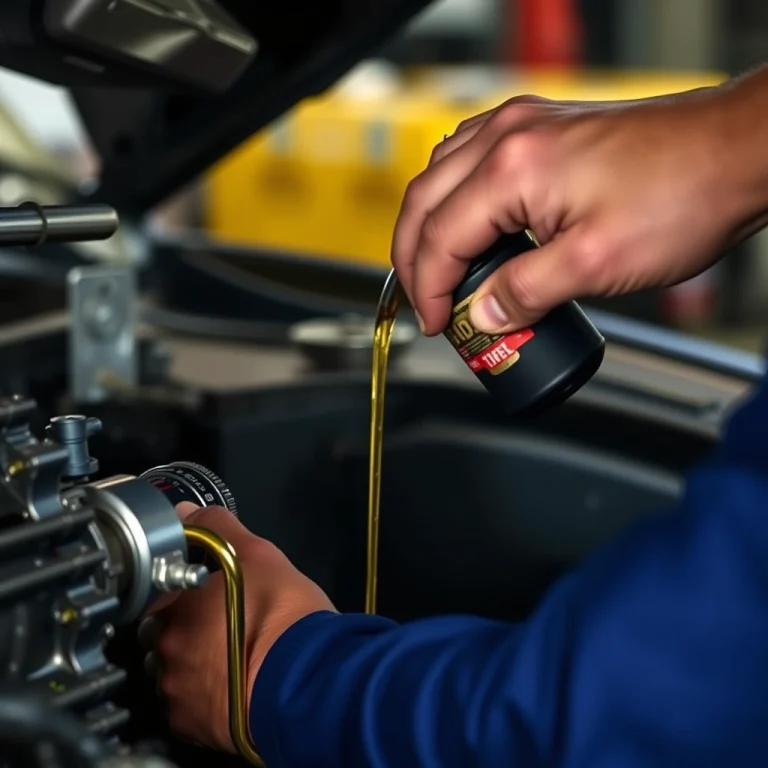

How To Reset Oil Life Honda Accord Simple Steps Explained
Maintaining your Honda Accord’s engine health is easier when you know how to reset the oil life indicator. This task, though simple, ensures your car’s system accurately tracks when it’s time for an oil change.
To reset the oil life on a Honda Accord, turn on the ignition without starting the engine, navigate to the oil life screen on your dashboard, then press and hold the select/reset button until the display resets to 100%.
Understanding the Oil Life Indicator

Function of the Oil Life Indicator
The oil life indicator in a Honda Accord is a system designed to inform you when it’s time to change your engine oil. This digital tool monitors driving conditions, engine temperature, and other factors to estimate the remaining lifespan of your oil. It calculates the percentage of oil life remaining, which is displayed on your dashboard, helping you keep track of when your next oil change is due.
Why It’s Important
Keeping an eye on the oil life indicator is essential for maintaining your vehicle’s health. Regular oil changes ensure that your engine runs smoothly by reducing friction, preventing overheating, and removing contaminants. Ignoring the oil life indicator can lead to poor engine performance and, in severe cases, engine damage. By paying attention to this indicator, you can schedule timely oil changes, thereby extending the lifespan of your vehicle and avoiding costly repairs.
Preparations Before Resetting
Gather Necessary Information
Before resetting the oil life indicator on your Honda Accord, gather some key details. First, confirm the model year of your Accord, as the procedure can vary slightly depending on the model. Also, check the current oil level and quality, ensuring it meets the manufacturer’s recommendations. If you recently changed the oil, note the mileage to ensure the reset is timely.
Safety Precautions
Ensure the vehicle is parked on a flat surface with the engine turned off. Engage the parking brake to prevent any accidental movement. Having your Accord in a stable condition is not only about safety but also ensures the reset process is smooth.
Keep the vehicle’s manual handy. It provides specific instructions tailored to your car’s model, which can be helpful if you encounter any issues. In case you don’t have a printed copy, you can usually find a digital version on Honda’s official website.
Tip: If you’re unsure about any step, consulting a trusted mechanic can save time and prevent potential errors.
Steps to Reset Oil Life on Honda Accord (2013-2017)

Accessing the Display
To reset the oil life on your 2013-2017 Honda Accord, start by turning the ignition on without starting the engine. Ensure that all warning lights on the dashboard are illuminated.
Navigating the Menu
Once the ignition is on, locate the “i-MID” (intelligent Multi-Information Display) on your dashboard. Use the steering wheel controls to navigate through the menu:
- Press the “MENU” button on the steering wheel.
- Use the up and down arrows to scroll through the options until you find “Vehicle Settings”.
- Select “Vehicle Settings” by pressing the “SOURCE” button.
- Scroll to “Maintenance Info” and select it.
Confirmation and Completion
After selecting “Maintenance Info”, you should see the current oil life percentage displayed. To reset it:
- Press and hold the “SOURCE” button for about 10 seconds.
- A reset confirmation screen will appear. Use the arrows to highlight “Yes” and press “SOURCE” again to confirm.
You will see the oil life reset to 100%, indicating the process is complete. Turn off the ignition, and you’re all set!
Steps to Reset Oil Life on Honda Accord (2018-Present)
Using the Touchscreen
To reset the oil life on your Honda Accord using the touchscreen, follow these steps:
- Start the car: Turn the ignition on, ensuring the engine is off.
- Access the Home screen: Press the Home button on the center console.
- Select Settings: Navigate to the Settings option on the touchscreen.
- Choose Vehicle: Tap on the Vehicle menu.
- Tap on Maintenance Info: Open the Maintenance Info section.
- Reset Oil Life: Select the Oil Life option, then choose Reset.
Manual Button Process
If you prefer using the manual buttons, here’s how:
- Turn on the ignition: Ensure the engine is off.
- Press the Trip button: Located on the steering wheel, press it until the oil life display appears.
- Hold the Trip button: Keep it pressed for about 10 seconds until the oil life percentage starts to blink.
- Press again: Release and then press the Trip button again for another 5 seconds to reset.
Finalizing the Reset
After completing the reset process:
- Verify the reset: Check that the oil life reads 100%.
- Check for any warning lights: Ensure no maintenance lights remain illuminated.
- Turn off the ignition: Your reset process is complete.
Tip: Regularly resetting your oil life monitor helps maintain optimal vehicle performance and alerts you when it’s time for the next oil change.
Troubleshooting Common Issues

Indicator Not Resetting
If your Honda Accord’s oil life indicator isn’t resetting properly, follow these steps to address the issue:
- Ensure the ignition is in the ON position, but the engine is not running. You should see the dashboard lights illuminated.
- Locate the “Trip” button on the steering wheel or dashboard. Press it until you see the oil life percentage displayed.
- Press and hold the “Trip” button for about 10 seconds. You should see the oil life percentage start to flash.
- Release the button, then press and hold it again for about 5 seconds until the oil life resets to 100%.
If the indicator still doesn’t reset, repeat the process, ensuring each step is followed precisely.
Dashboard Error Messages
Encountering error messages on the dashboard can be frustrating. Here’s how to handle them:
- Check for any pending maintenance issues. Sometimes, unresolved issues can prevent the reset.
- Make sure all doors, including the trunk, are securely closed. An open door can sometimes trigger unrelated warnings.
- If error messages persist after checking the above, disconnect the battery for about 10 minutes. This may reset the car’s computer system.
After reconnecting the battery, you may need to re-enter the radio code and reset the clock. If problems continue, consult a professional technician.
When to Consult a Professional
Persistent Issues
If you have attempted to reset the oil life indicator on your Honda Accord but the indicator still doesn’t reset, or it resets incorrectly, it might indicate an underlying issue. Electrical or software malfunctions can sometimes affect the reset process. In such cases, consulting a professional technician can be beneficial.
Here’s when you should consider professional assistance:
- Unresponsive Indicator: If the oil life indicator remains stagnant after several reset attempts.
- Dashboard Alerts: If other warning lights accompany the oil life indicator issue, it could point to a larger electrical problem.
- Software Errors: Software glitches in the vehicle’s system might require diagnostic tools that professionals possess.
Warranty Considerations
Before seeking professional help, it’s important to review your vehicle’s warranty. If your Honda Accord is under warranty, certain services might be covered, potentially saving you from additional expenses. Always check:
- Warranty Coverage: Verify if the warranty includes electrical diagnostics or software updates.
- Authorized Service Centers: Confirm whether you need to visit an authorized dealership to maintain warranty validity.
Tip: Keep a record of all reset attempts and any related dashboard alerts to provide comprehensive information to the technician, which can aid in a quicker diagnosis.
Benefits of Regular Oil Changes
Prolonging Engine Life
Regular oil changes are more than just a routine task-they’re a key practice to keep your engine running smoothly. Fresh oil provides the necessary lubrication to reduce friction between the moving parts of the engine, lowering wear and tear. This simple maintenance step can significantly extend the life of your engine, saving you from costly repairs down the road.
Improving Performance
Old oil can become sludgy and lose its effectiveness, which may cause the engine to work harder and reduce fuel efficiency. By regularly changing the oil, you ensure that your engine runs efficiently. Clean oil can improve your car’s performance, keeping it responsive and ensuring optimal fuel consumption.
In the Honda Accord, the oil life indicator is a handy tool that estimates the time remaining before the next oil change is due. Resetting this indicator is crucial after every oil change to ensure accurate readings.
Tip: Always refer to your vehicle’s manual for specific oil change intervals and the recommended oil type for your Honda Accord.
The process to reset the oil life indicator in your Honda Accord is straightforward:
- Turn the ignition to the “ON” position without starting the engine.
- Press the “Trip” button until you see the oil life percentage on the display.
- Press and hold the “Trip” button for about 10 seconds until the display starts to blink.
- Release the button, then press and hold it again until the oil life resets to 100%.
By following these steps, you can ensure your oil life indicator is reset correctly, helping you keep track of your vehicle’s maintenance schedule.
Additional Maintenance Tips
Checking Other Fluids
Regularly check and maintain the other fluids in your Honda Accord to ensure smooth operation. These include the coolant, brake fluid, power steering fluid, and transmission fluid. Each fluid plays a specific role in keeping your vehicle running efficiently. Refer to your owner’s manual for the recommended schedule for checking and replacing these fluids. Make sure to check for any leaks and address them promptly.
Tire Maintenance
Proper tire maintenance is essential for safety and fuel economy. Regularly inspect your tires for wear and tear, and ensure they are inflated to the recommended pressure. Use a pressure gauge to check the tire pressure monthly, especially before long trips. Rotate your tires every 5,000 to 7,000 miles (8,000 to 11,000 kilometers) to promote even wear and extend their lifespan. Also, consider getting a wheel alignment check if you notice uneven tire wear or the vehicle pulling to one side.
Tip: Keep a tire repair kit and a portable air compressor in your vehicle for emergencies.
Quick Summary
- Turn on your Honda Accord without starting the engine by pressing the power button twice or turning the key to the ‘on’ position.
- Locate the ‘Select/Reset’ button on the dashboard or steering wheel, depending on your model.
- Press and hold the ‘Select/Reset’ button until the oil life percentage begins to blink on the display screen.
- Release the button, then press and hold it again until the oil life resets to 100%.
- Turn off the ignition to complete the reset process.
- It’s recommended to reset the oil life indicator after an oil change to maintain an accurate maintenance schedule.
- If you experience issues, consult your vehicle’s manual or contact a professional for assistance.
Frequently Asked Questions
How do I reset the oil life on my Honda Accord?
To reset the oil life, turn on the ignition without starting the engine. Press the ‘Select/Reset’ button until the oil life indicator is displayed, then press and hold the button until the display begins to blink. Release and hold the button again until the oil life resets to 100%.
Do I need any special tools to reset the oil life on my Honda Accord?
No special tools are needed. You can reset the oil life using the ‘Select/Reset’ button on your dashboard or steering wheel, depending on your model.
What if the oil life reset doesn’t work on my first try?
If the reset doesn’t work initially, ensure the ignition is in the correct position and try the steps again. Sometimes it might take a couple of attempts to successfully reset the oil life.
Can I reset the oil life myself, or should a professional do it?
You can easily reset the oil life yourself following the simple steps. However, if you’re uncomfortable or unsure, a professional can assist you during an oil change service.
Why should I reset the oil life indicator after an oil change?
Resetting the oil life indicator ensures you receive accurate reminders for your next oil change. It helps maintain your vehicle’s engine health by ensuring timely maintenance.

- Find the Right Engine Oil for Your Car: A Quick Guide - March 1, 2026
- Car Battery Booster Basics: Start Your Vehicle in Minutes - March 1, 2026
- How Long Does It Take To Charge A Motorcycle Battery Charging Time Guide - February 28, 2026