

How To Set Trailer Brake Gain For Safe And Smooth Towing
Setting the brake gain on your trailer is a vital task for ensuring safe and smooth towing. If you’ve ever felt uncertain about how to adjust it correctly, you’re in the right place to learn a straightforward process.
To set trailer brake gain: find a quiet road, adjust the gain while driving slowly, and ensure the trailer brakes are responsive but not locking.

Understanding Trailer Brake Gain
Definition and Importance
Trailer brake gain is a setting on trailer brake controllers that adjusts the amount of braking force applied to the trailer’s brakes. Understanding this concept is essential because it ensures that your trailer stops safely and effectively, especially when carrying heavy loads. Without proper brake gain settings, there is a risk of either not having enough braking power or having too much, which can lead to dangerous situations.
How Brake Gain Affects Towing
Correctly setting trailer brake gain is key to achieving a balanced braking system between your tow vehicle and trailer. If the gain is too low, the trailer may push against the tow vehicle, increasing stopping distances and potentially causing a loss of control. Conversely, too high a gain can cause the trailer brakes to lock up, leading to skidding. Both scenarios are unsafe and can be avoided by adjusting the gain properly.
To set the gain, start with a low setting and gradually increase it while performing test stops in a safe location. The goal is to have the trailer stop in sync with the tow vehicle without any jerking or skidding. This adjustment may need to be modified depending on the load weight, so make sure to test and readjust as necessary whenever the load changes.
Brake Gain Settings and Their Effects
| Brake Gain Level | What Happens | Risk Level | What You Should Do |
|---|---|---|---|
| Too Low | Trailer pushes tow vehicle | High | Increase gain gradually |
| Slightly Low | Longer stopping distance | Medium | Adjust up in small increments |
| Properly Set | Trailer and vehicle stop smoothly together | Safe | No adjustment needed |
| Slightly High | Minor jerking when braking | Medium | Reduce gain slightly |
| Too High | Trailer wheels lock up or skid | High | Immediately lower gain |
Identifying Your Trailer Brake Controller Type
Setting the trailer brake gain requires knowing the type of brake controller you have. Different controllers affect how you adjust and set the brake gain.
Proportional Controllers
Proportional controllers measure the force applied by the towing vehicle’s brakes and apply a proportional amount of force to the trailer brakes. This provides smooth and even braking. When setting gain on a proportional controller:
- Adjust while driving: Test the brakes at low speeds. The trailer should brake in sync with the vehicle.
- Fine-tune: Slight adjustments may be needed for different road conditions or trailer weights.
Time-Delayed Controllers
Time-delayed controllers apply a preset amount of brake power after a set time once the vehicle brakes. This type requires a different approach:
- Initial setup: Set the delay and gain to match the trailer’s weight. More weight requires more gain.
- Test and adjust: Start on a flat surface, then increase gain incrementally until the trailer braking matches the vehicle.
Tip: Regularly check brake settings, especially if you switch trailers or change loads.
Preparing for Brake Gain Adjustment
Checking Equipment Compatibility
Before adjusting the brake gain on your trailer, ensure that your vehicle and trailer are compatible. This means that the towing vehicle should have a brake controller installed, and the trailer should have electric brakes. Check your vehicle’s manual to confirm it supports a brake controller, and verify that the trailer’s brake system is functional and paired with the controller.
Safety Precautions
Prioritizing safety is essential when preparing for brake gain adjustments. To start, park your towing vehicle and trailer on a flat, stable surface. Engage the parking brake and ensure both the vehicle and trailer are secure before you begin any adjustments. It’s also wise to inspect the brake system for any signs of wear or damage, such as frayed wires or corroded connectors.
Tip: Always carry out a quick visual check of the brake connections before setting off on any journey.
Ensure you have the right tools at hand. A basic toolkit should include a wrench set, screwdrivers, and a voltmeter for checking electrical connections if needed. Having these tools ready can save time and prevent interruptions during the adjustment process.
Wear protective gear, such as gloves and safety glasses, to protect yourself from any unforeseen mishaps. Ensuring your workspace is well-lit will also help you see what you’re doing clearly, reducing the risk of mistakes.
Step-by-Step Guide to Adjusting Brake Gain
Initial Setup
Before you begin adjusting the brake gain, ensure that your trailer is properly connected to your towing vehicle. Make sure the trailer’s brake controller is installed and operational. Start with the trailer and towing vehicle on a flat, safe surface without any obstacles.
Test and Adjust
Start by setting the brake gain to the middle setting on your controller. This provides a neutral starting point. To test, drive slowly at a speed of about 25 mph on a safe road. Apply the trailer brakes using the brake controller’s manual override.
- If the trailer brakes lock up, reduce the gain setting slightly.
- If the trailer feels like it is pushing the towing vehicle, increase the gain.
- Conduct these tests in small increments, adjusting the gain until you find a setting where the trailer comes to a smooth stop without locking up.
Fine-Tuning
Once you achieve a satisfactory initial setting, fine-tune the brake gain for different driving conditions. Consider the following:
- Weight Changes: If the trailer load changes significantly, the brake gain may need adjustment.
- Weather Conditions: On wet or slippery roads, reduce the gain slightly to prevent wheel lock-up.
- Downhill Driving: You may need a higher gain setting to help control speed.
Regularly check and adjust the brake gain to ensure optimal braking performance under varying conditions. Always prioritize safety by ensuring that both the trailer and towing vehicle stop smoothly and in a controlled manner.
Testing Brake Gain Settings
Road Testing
After setting the initial trailer brake gain, it’s important to test it on the road to ensure safety and comfort. Find a quiet, straight road with minimal traffic. Start by driving at a speed of 20 to 25 mph. Gradually apply the brakes and pay attention to how the trailer responds. The goal is for the trailer to slow down smoothly in sync with the towing vehicle without any jerking or pulling.
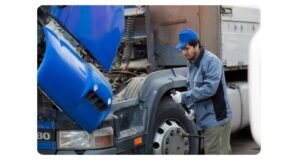
During the test, listen for any unusual noises or feel for any vibrations. These could indicate an inappropriate gain setting or another issue with the brake system.
Adjustments Based on Feedback
If the trailer brakes lock up or the vehicle feels like it’s being pushed by the trailer, the gain is too high. Conversely, if the trailer seems slow to respond or doesn’t stop effectively, the gain may be too low. Adjust the brake gain in small increments, either increasing or decreasing, and retest until the trailer and vehicle brake together smoothly.
Tip: Always make adjustments with the vehicle in a safe position, such as parked on a level surface, and ensure all road testing is conducted in a safe environment.
Common Mistakes and How to Avoid Them
Over-Braking
One common mistake is setting the brake gain too high, which can lead to over-braking. This causes the trailer brakes to lock up, leading to skidding or damage to the braking system.
To avoid over-braking:
- Test Gradually: Start at a lower gain setting and gradually increase it until you find the right balance. This helps prevent sudden lock-ups.
- Check for Skidding: During a test drive, pay attention to any skidding sounds or sensations. If you notice this, reduce the gain immediately.
- Consult the Manual: Always refer to your vehicle and trailer manuals for recommended settings specific to your setup.
Recommended Brake Gain Adjustment Guide
| Trailer Weight | Starting Gain Setting | Test Speed | Adjustment Direction |
|---|---|---|---|
| Light (Empty or Small Utility Trailer) | 3.0 – 4.0 | 20–25 mph | Increase if trailer pushes |
| Medium Load | 4.5 – 6.0 | 20–25 mph | Fine-tune gradually |
| Heavy Load | 6.5 – 8.0 | 20–25 mph | Reduce if wheels lock |
| Downhill Driving | +0.5 to +1.0 from normal setting | 20 mph | Monitor for overheating |
| Wet/Slippery Roads | -0.5 from normal setting | 15–20 mph | Prevent wheel lock-up |
Under-Braking
Another error is setting the brake gain too low, resulting in under-braking. This means the trailer doesn’t slow down adequately, increasing stopping distances and posing a safety risk.
To avoid under-braking:
- Conduct Initial Tests: In a safe, open space, test the brakes to ensure the trailer slows down in conjunction with the towing vehicle.
- Adjust Responsively: If the trailer feels like it’s pushing the towing vehicle, increase the gain until you achieve a smooth deceleration.
- Monitor Regularly: Conditions like road surfaces and weather can affect braking. Regularly check and adjust the gain as necessary.
Tip: Always carry out these adjustments in a controlled environment to ensure safety.
Troubleshooting Brake Gain Issues
Inconsistent Braking
If your trailer brakes feel inconsistent, the brake gain settings might be misaligned. Start by ensuring the trailer is connected properly and the trailer’s brakes are in good condition. Next, perform a simple test drive in a safe area:
- Set the brake gain to a mid-range level.
- Drive at a low speed (around 20 mph) and gently apply the brakes.
- Adjust the gain up or down incrementally until the trailer brakes engage smoothly without skidding.
Tip: If the trailer brakes lock up too easily, reduce the brake gain slightly.
Brake Fade
Brake fade can occur when brakes overheat and lose efficiency, often during long downhill drives. Here’s how to manage it:
- Before descending, reduce your speed and set a lower brake gain to prevent overheating.
- Use engine braking or downshift gears if possible to minimize reliance on the brakes.
- Monitor your trailer’s brake temperature, if equipped with sensors.
Tip: Regular maintenance checks can help prevent brake fade by ensuring your brake components are in good condition.
For both issues, ensure frequent maintenance of the trailer’s braking system. This includes checking brake pads, rotors, and fluid levels. Regular maintenance not only helps in achieving consistent brake gain settings but also extends the life of your braking system.
Maintaining Your Brake Controller
Maintaining your brake controller is essential for ensuring it continues to function properly, especially when setting the trailer brake gain. This section focuses on the necessary maintenance practices.
Regular Checks
To keep your brake controller in good working condition, regularly check the connections and wires for any signs of wear or damage. Make sure the controller is securely mounted and free of dust and debris.
- Inspect Wiring: Look for any frayed or exposed wires. Replace damaged wiring immediately to prevent malfunctions.
- Check Connections: Ensure all connections are tight and free of corrosion. Clean them if necessary.
- Test Functionality: Periodically test the brake controller to ensure it’s applying the correct amount of force to the trailer brakes.
Signs of Wear
Being aware of the signs of wear can help you address potential issues before they become major problems.
- Inconsistent Braking: If the trailer brakes feel inconsistent, this may indicate a problem with the controller or its settings.
- Warning Lights: Pay attention to any warning lights on the controller display. Refer to the manual to understand what they mean.
- Physical Damage: Inspect the controller for any physical damage, such as cracks or broken buttons, which could affect its performance.
Tip: Keep a log of your maintenance checks and any issues encountered. This can help in diagnosing problems more quickly in the future.
Quick Summary
- Ensure your vehicle and trailer are parked on a level surface before adjusting the trailer brake gain.
- Start with a low gain setting and gradually increase it while testing the brakes to find the right balance.
- Conduct a slow test drive to observe how the trailer brakes respond and adjust the gain if the trailer pushes or drags.
- Avoid setting the gain too high, as this may lead to the trailer wheels locking up during braking.
- Consult the vehicle’s manual for any specific instructions or recommendations related to trailer brake gain adjustment.
- Regularly check and adjust the trailer brake gain as needed, especially when towing different trailer loads or driving in various conditions.
Frequently Asked Questions
What is trailer brake gain?
Trailer brake gain controls the amount of power sent from the tow vehicle to the trailer brakes. Adjusting the gain properly ensures safe and effective braking.
How do I set the trailer brake gain?
Start by setting the gain to a middle value, then drive slowly and perform a brake test. Adjust the gain until the trailer brakes feel synchronized with the tow vehicle brakes.
What happens if the gain is set too high?
If the gain is too high, the trailer brakes may lock up, causing skidding or jerking. This can be dangerous, especially in wet or slippery conditions.
Why is it important to adjust the gain based on trailer load?
Different loads affect braking dynamics; a heavier trailer may require more gain for effective braking. Adjusting the gain ensures safe stopping distances regardless of the load.
How often should I check and adjust the trailer brake gain?
It’s a good practice to check and adjust the gain each time the trailer load changes or before long trips. Regular checks help maintain optimal braking performance.

- Find the Right Engine Oil for Your Car: A Quick Guide - March 1, 2026
- Car Battery Booster Basics: Start Your Vehicle in Minutes - March 1, 2026
- How Long Does It Take To Charge A Motorcycle Battery Charging Time Guide - February 28, 2026
